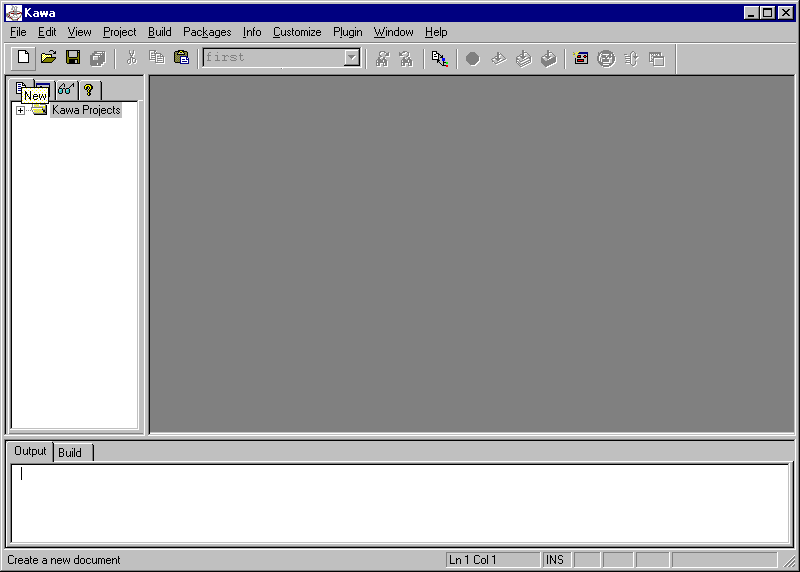
Open the Kawa development system; you should see the following screen. Click on the blank white sheet on the far left to create a New file.
Now type in the following Java application. Type your own name where it says <Name> and the current date where it says <Date>.
// Computer Science <Course Number>
// Java application written by <Name>
.// <Date>
// An application with a class that provides information
about a person.
class People
{
public static void main (String []
args)
{
person girl
= new person();
girl.displayAge
();
} // method main
} // class People
// Class that stores information about a person's name
and age.
class person
{
private String name;
private int age;
public person ()
{
name = "Alice";
age = 7;
} // constructor
public void displayAge ()
{
System.out.println
(name + "'s age is " + age);
} // method displayAge
} // class person
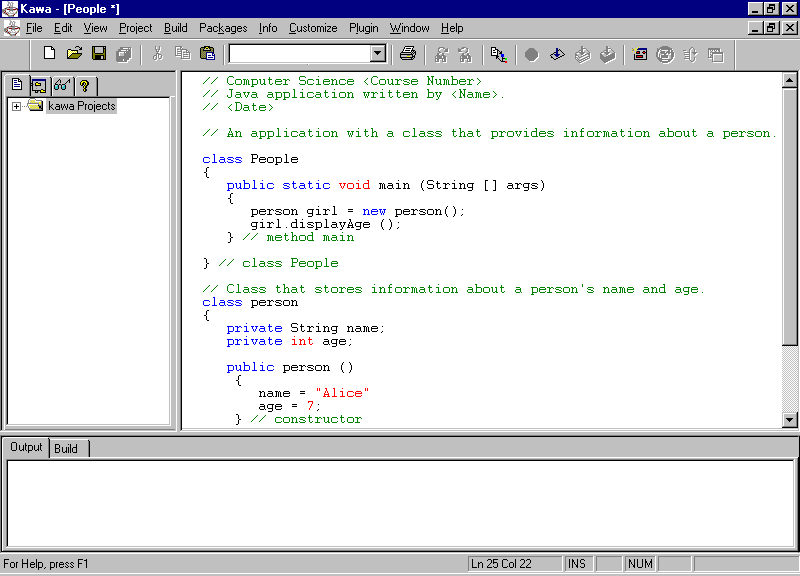
You should see the following screen when you are finished.
Save your file on your disk in the A: drive. It must have the same name as the first class, People.java. It cannot be compiled if the name of the file on the disk is not the same as the name in the program.
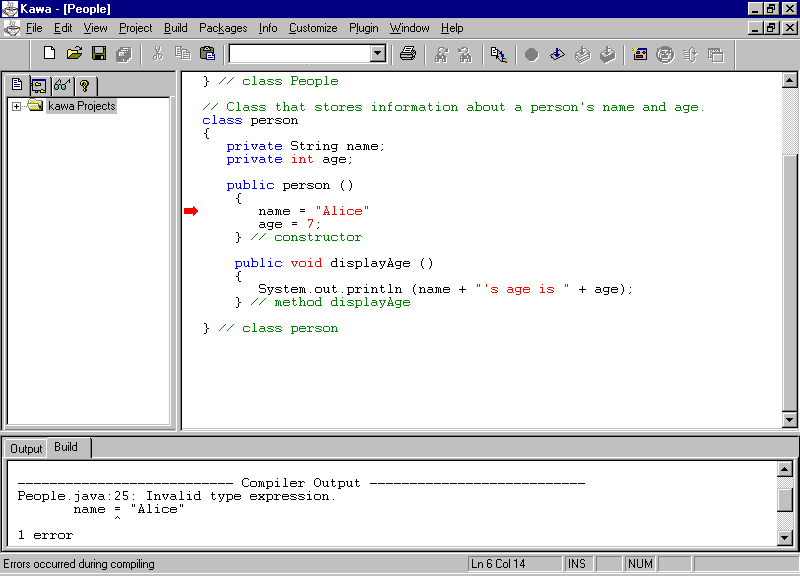
Next click on the icon that says Compile-F7 or type F7. This will translate your program into Java byte code. If there are errors, you will receive a compiler message in the box at the bottom. If you click on the line number given, Kawa will take you to the line where the first error was discovered. You can see an example below. Fix the error(s) and recompile.
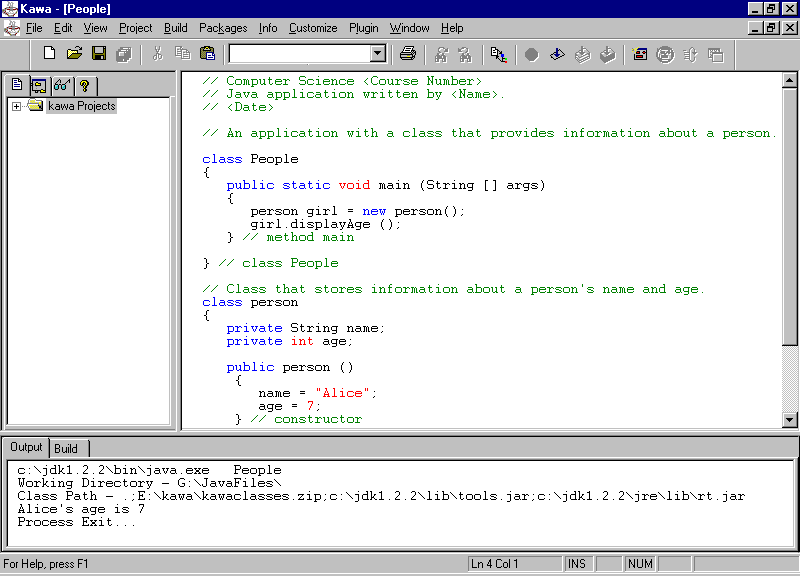
If there are no errors, you can run the application. This is done by clicking on the Run Java icon or by typing F4. The output for the program will appear in the box at the bottom.
The screen should look as follows:
After compiling, you will have another file on your disk. This will be called People.class. It contains the byte code for the application.
When you are finished, make sure that the correct version
has been saved on your disk. Then make a print out of your program, write
your name in the top right hand corner, and hand it in. In future assignments,
you will also be asked to hand in the disk with the .java and .class files.